Filmustage Studio: Script to Video With a 3D Set Under Every Shot
Filmustage Studio · Script to videoBeta

Every shot.
The same world.

Filmustage Studio builds a 3D set for every scene of your script, then generates the film from it. Same room, same faces, same light — in every shot, for as long as the scene runs.

Bring a script in any language, or just an ideaPrevis, full film, ad, anime, vertical dramaYour script is never used to train models
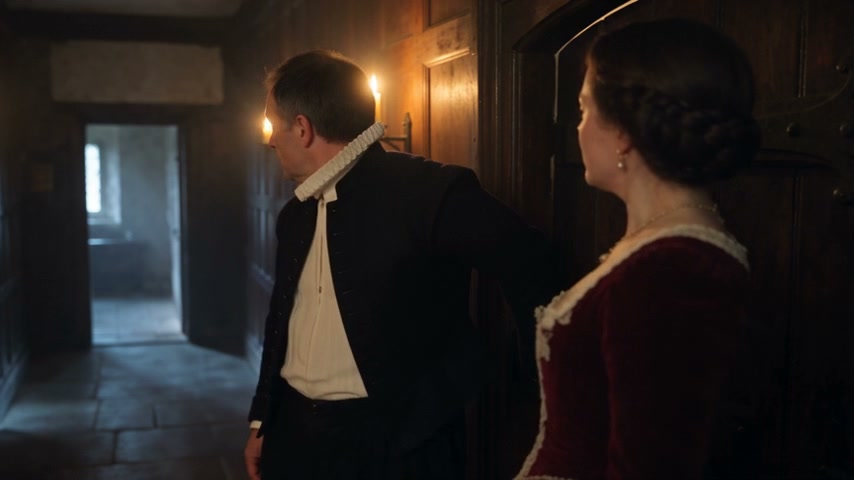
Generated in StudioInt. Compton Manor. Long Corridor – Night · 6 shots · 21 s · draft render
The problem with AI video

Prompt tools make clips.
Films are made of scenes

Any model gives you one beautiful eight-second shot. Ask for the reverse angle and the room changes. Studio fixes the cause, not the clip.

What breaks

The room rearranges itself

Wide to close-up: the window moves, the painting switches walls.

In Studio

One 3D set per scene. Every camera sees the same room.

What breaks

Faces and props drift

Reference images hold a face for two shots. By shot six it’s someone else.

In Studio

Characters and props are assets, made once, placed in the set, reused in every scene.

What breaks

It falls apart after 15 seconds

Long runs degrade. You stitch and grade by hand.

In Studio

Shots render from the plan and assemble per scene. Any length. The whole film.

From script to scene,
automatically

No Blender, no prompts. You bring the story.

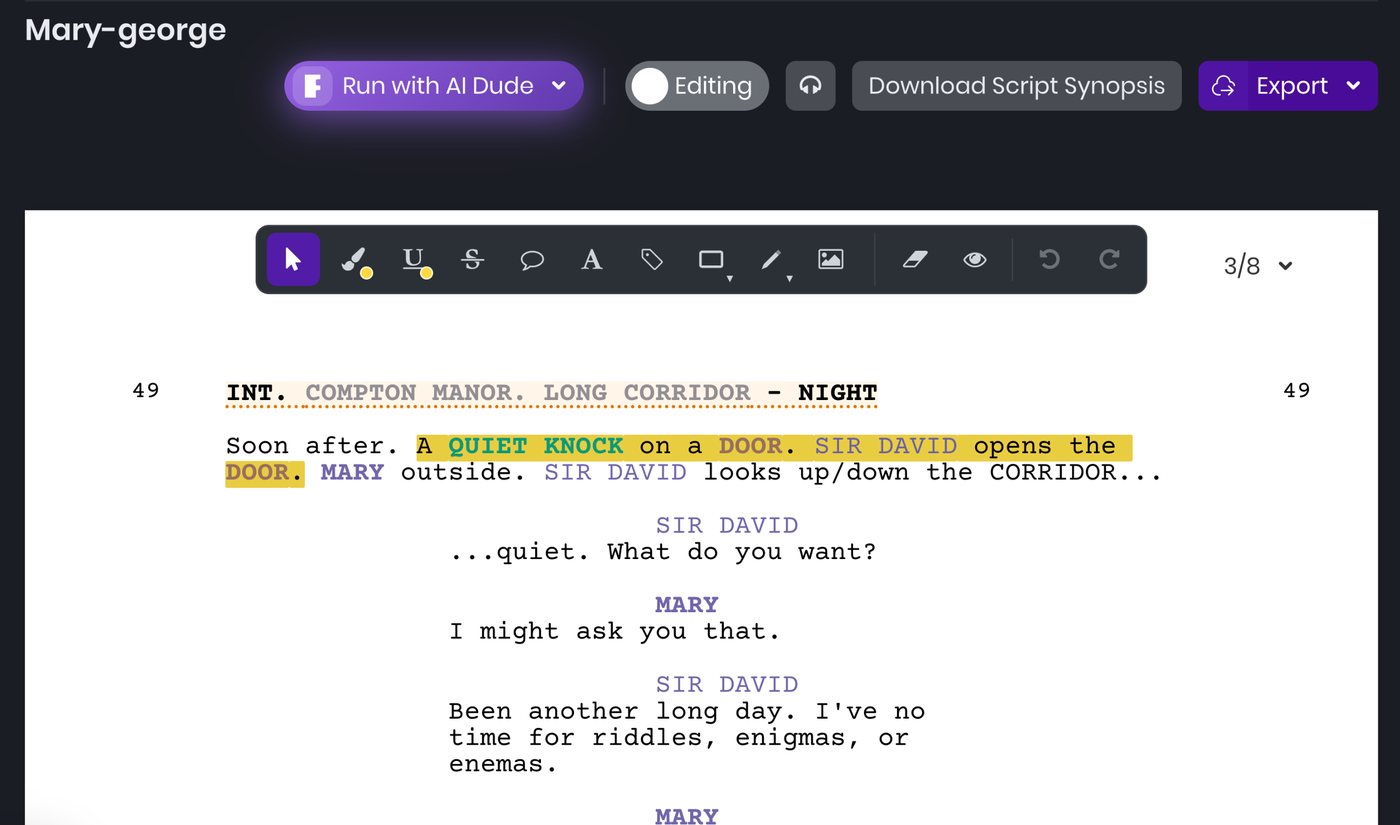
01Script or ideaAny format, any language. Or write it with the agent.
02BreakdownCast, props, locations, costumes, time of day, per scene.
03AssetsCharacters, props and environments from the tags, or from your photos.
043D planSet, actors, cameras and light placed for you. Editable.
05FramesRendered from each camera in the plan.
06Scene videoShots generated and cut into the scene. MP4.
Why 3D is the whole point

Built in 3D,
so nothing moves between shots

Pro AI pipelines block the scene in Blender first — a 3D artist, a week, a 24 GB GPU. Studio builds that blockout from the breakdown, places cameras and lights, and checks continuity before rendering a frame.

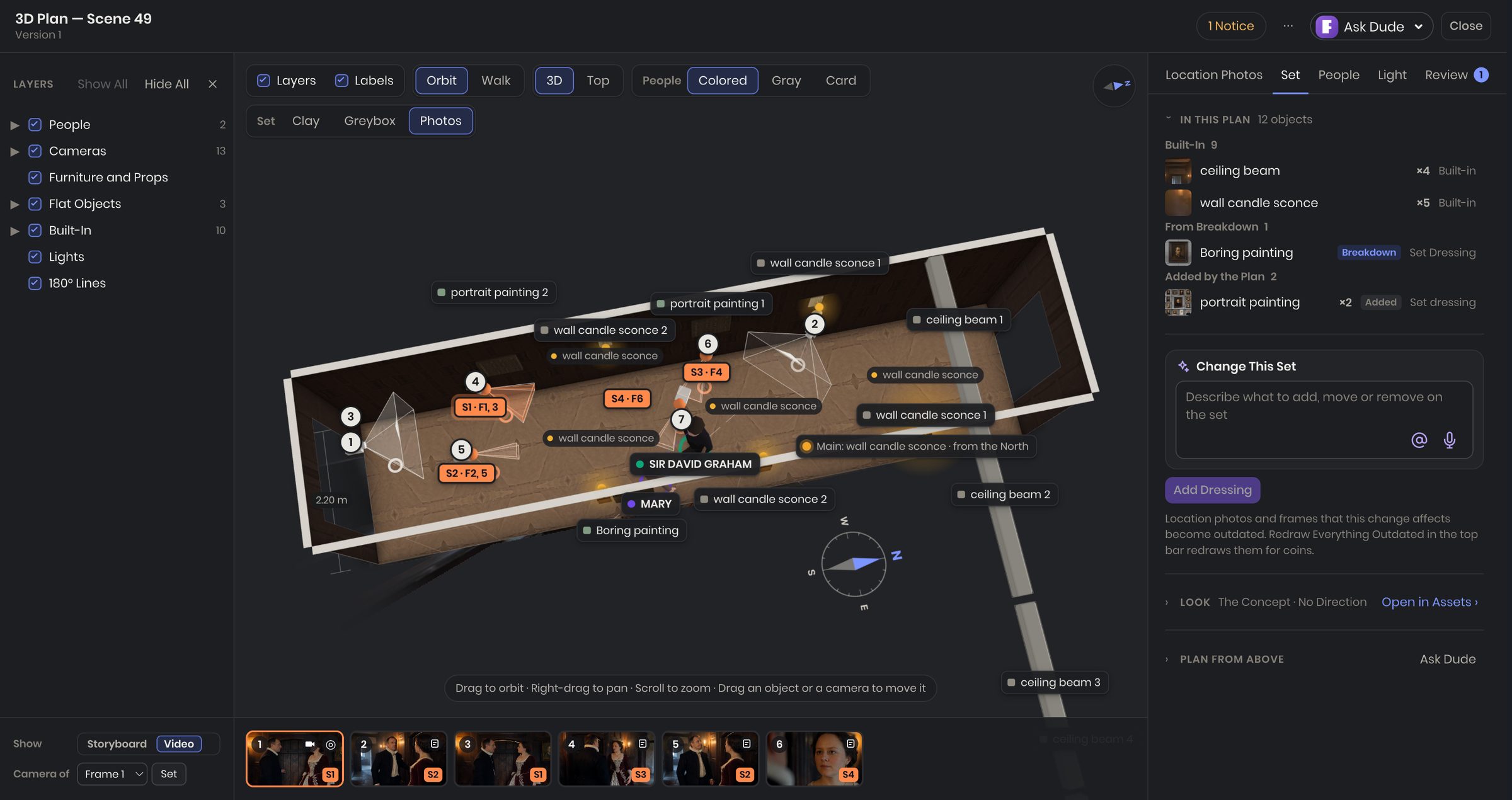
3D plan · Scene 49 · Compton Manor corridor set, 4 camera setups for 6 frames
The 3D plan of the Compton Manor corridor set
3D planSet, cameras, lights, Mary and Sir David
The generated shot of Sir David opening the door to Mary in the same corridor
Generated shotSame corridor, same light, same Mary

Cameras and lights, placed for you

Establishing, over-the-shoulder, close-ups, inserts: the coverage a DP would ask for, with lens, height and key light set per shot. Move anything. Or don’t.

  • Coverage, eyelines and the 180° line handled
  • Conflicts flagged before rendering
Look through location photo 2 · the photo projected on the set
Assets, not prompts

Your actor, your apartment,
in every scene

Characters, props and locations are assets: generated from the breakdown or from your photos, then placed in the set. Attach your own face and the film is shot around you.

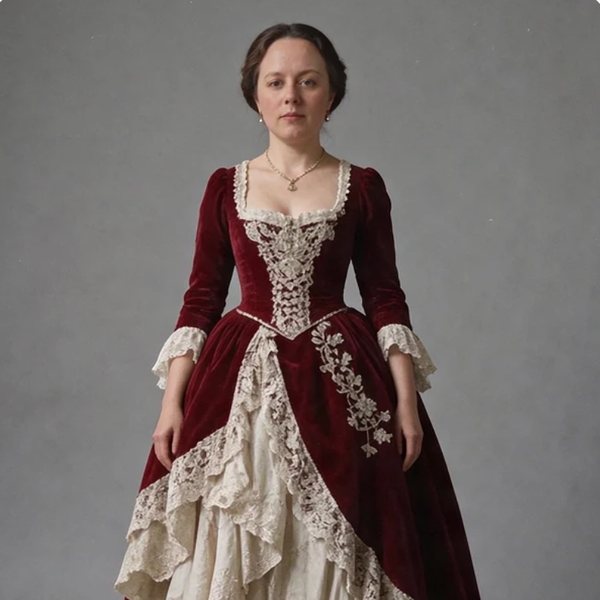
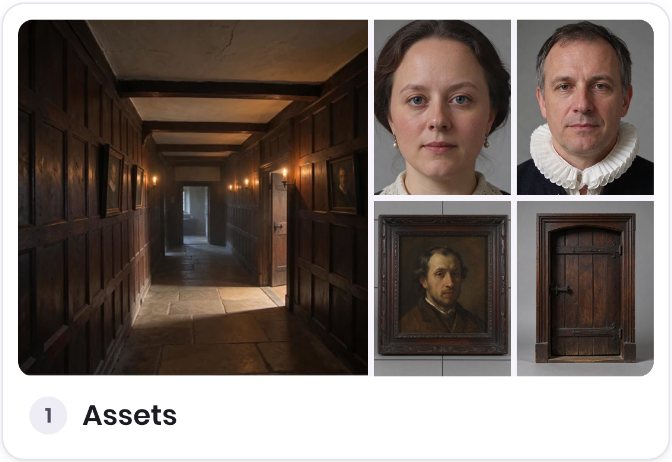
Mary, generated character asset
CharacterMaryGenerated once from the breakdown. Same face in every frame and scene.
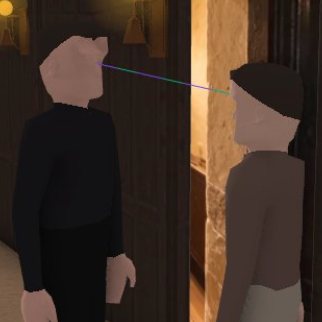
Sir David Graham and Mary as 3D stand-ins on the set
3D stand-inSir David and Mary on the setPlaced in the plan so every camera frames the same person.
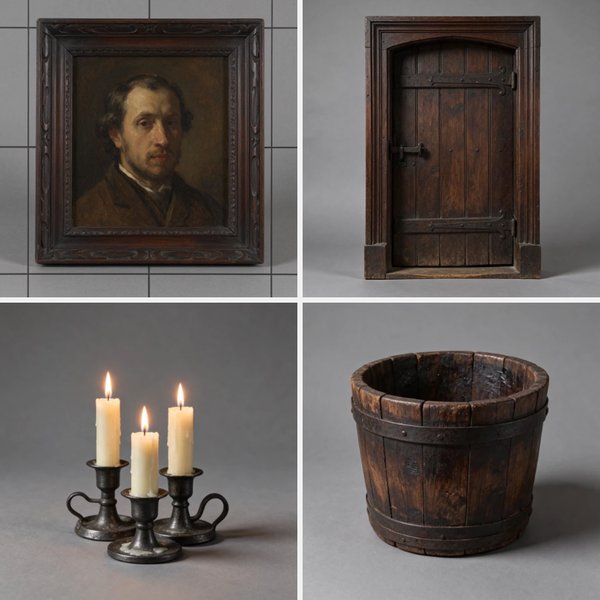
Painting, door, candlestick, wooden bucket
Props & set dressingPainting, door, candlesTagged in the breakdown, generated as assets, placed in the set.
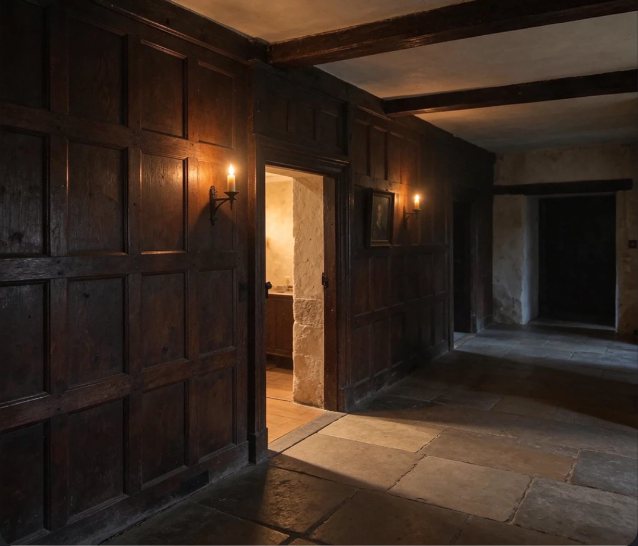
Location photo projected onto the set
EnvironmentInt. Compton Manor corridor – NightLocation photos projected onto the 3D set.
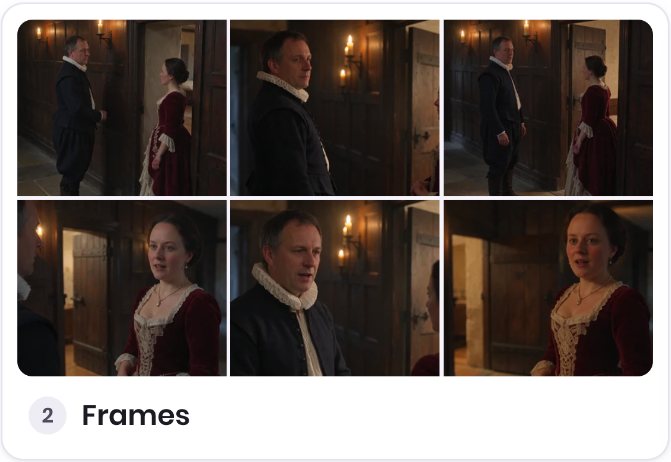
Six storyboard frames of Mary and Sir David, all from the same setFrames · six shots, one Mary, one corridor

Previs today, the finished film when you want it

Render the plan rough to sell the idea and plan the shoot, or finished for an ad, a music video, an anime, a vertical drama.

  • Live-action, animation, anime, vertical 9:16
  • Current video and image models, chosen per job
Scenes, not seconds

An hour in one scene,
and it doesn’t jump

Length is set by the script, not by the model. Three hundred scenes become a film.

Prompt-to-video clip
8 s
Multi-shot “director mode”
~15 s
Filmustage Studio scene
Any
Who it’s for

Built for the way
you shoot

Pick your kind of project, or see all use cases.

Agencies, production companies, in-house brand teams

Show the client the spot before you bid it

A 30-second spot is six to ten shots of one product in one world. Studio builds that world once, keeps the pack-shot identical in every angle, and renders the whole spot for the deck. Win on the moving version, then shoot it, or ship it.

  • Product and location references locked as assets
  • Full spot rendered as animatic or finished film
  • Versions per client round, with the approved one marked
  • Shot list, schedule and estimate from the same scenes if you shoot it live
6–10 shotsWhy it pays

Agencies run many spots a year on short windows. One consistent world per spot removes the previs vendor and most of the revision rounds. For ads.

What stays yours

Scripts and brand references are never used to train models.

Music video directors and labels

Pitch with the video, not a treatment PDF

Build the performance set and the narrative set, cast the artist from photos, and render the beats. The artist sees themselves in the idea. On the day, the shot list and the call sheet come from the same plan.

  • Artist likeness as an asset across every scene
  • One look across performance and story sections
  • Vertical cut for socials from the same plan
48 hWhy it pays

Directors pitch several treatments a month and win a fraction. A previs that takes an evening changes the hit rate.

Indie filmmakers, students, film schools

Make the short, then decide whether to shoot it

Upload the script, cast it from photos of your friends, and watch the film. Fix the scenes that don’t work before you borrow the camera. If you shoot it live, the schedule, sides and call sheets are already there.

  • Manual storyboards and shot lists free on every plan
  • Studio video when you need to show the film to a jury, a lab or a cast
  • Academic discount for students, a free year for professors
$0Why it pays

The largest group on Filmustage. Studio turns a free storyboard user into a subscriber the week they need to show the film to someone.

Producers, directors and DPs on features

Previs the expensive scenes with a real set

Pick the stunt, the crowd scene, the night exterior. Studio builds the set, blocks the coverage and renders the scene so the DP, the stunt coordinator and the financier see the same thing. Alternatives per scene, day counts and budget hints move with your choices.

  • Scene-level 3D previs tied to the breakdown and the stripboard
  • Leads, locations and hero props as assets
  • MP4 for financiers, PDF boards and shot lists for the crew
Scene by sceneWhy it pays

Studios hand previs to specialists at specialist prices. Independent features never had that line. This is the previs they can afford, with the same 3D logic.

Showrunners, vertical drama studios, episodic teams

Forty episodes, one cast, one apartment

Episodic lives or dies on continuity. Assets are shared across the season, so the lead, the kitchen and the lighting are identical in episode 1 and episode 40. Vertical 9:16 is a setting, not a re-shoot.

  • Shared characters and environments across episodes
  • Per-episode scenes rendered at volume
  • Blocks, versions and alternatives if you shoot it live
1 worldWhy it pays

Vertical and short-form series shoot dozens of episodes on tight cycles. Consistent assets at coin prices beat a previs vendor per episode. For microdramas.

Animation studios, anime and manga creators

Animation without the model drift

Character sheets become assets; sets become 3D environments; the plan places the camera the way a storyboard artist would. Render in your style, keep it the same across every cut, and go from script to a finished episode without a pipeline of five tools.

  • Character sheets as consistent assets
  • Anime, manga, 2D and 3D looks from one plan
  • Script agent writes the episode with you if you start from an idea
1 styleWhere it fits

Animation is the format that most needs identity to hold across hundreds of shots. It is also the one the team has been generating since day one.

Course creators, training teams, in-house video units

A whole course, one presenter, no studio day

Write the lessons as scenes or let the agent write them, attach the presenter’s photo as the actor, and render the series. The same person, the same set, lesson after lesson.

  • Presenter from a photo, consistent across the course
  • Multi-episode structure for lesson series
  • Review the frames with subject experts before rendering video
Where it fits

High volume, modest budgets, teams that have never used film tools. The project type keeps the film jargon out of the way.

Creators, influencers, small channels

You, in every video, without filming yourself

Attach your face. Tell the agent what the episode is about. Studio writes it, puts you in the frame, and renders the whole piece for TikTok, Shorts or Reels in vertical. Swap the set, keep the host.

  • Your likeness as a consistent on-screen host
  • Hooks and pacing for short-form platforms
  • Pay only for the generation you use
Where it fits

Mass-market entry point and the simplest story to tell on social.

Game cinematics, theatre, live events, brand films

Describe your project in your own words

Choose “custom” when you create the project and tell Studio what you are making. Breakdown, assets, plan and video work the same way; labels and templates follow your description.

  • Your own project type and terminology
  • Enterprise: fine-tuned models, your own API keys, contracts
Where it fits

Catches the demand we have not named yet.

How it compares

Three ways to make AI video
that holds together

Fast and inconsistent, or consistent and slow. Or Studio.

What you needPrompt-to-video toolBlender + ControlNet pipelineFilmustage Studio
Same room, same props from every angleNo. Each shot re-imagines the setYes, if you model the setYes. 3D set built per scene, automatically
Same face, same costume across a seasonReference images; drifts after a few shotsLoRA or IP-Adapter per characterAssets from photos or tags, reused everywhere
Camera, lens, light you can check before renderingPresets or luckYes, by handPlaced for you, editable
Continuity errors caught earlyNoYour eyeFlagged in the plan
Scene length5–15 s per runAny, with stitchingAny. Assembled per scene
Skills and kitPrompting3D artist, ComfyUI, 24 GB GPUA script. Or an idea
Connected to the shootNoNoBreakdown, schedule, budget, call sheets
Your script used to train modelsDepends on the toolLocalNever, on any plan
50K+

Filmmakers plan with Filmustage

5.2M+

Hours of manual pre-production saved

$178M+

Saved on breakdowns, schedules and budgets

PricingBeta rates

Planning is free.
You pay for video

Assets, the 3D plan and frames are included in a generation plan. Coins are spent only when video is generated.

Pre-production planning $0 The Filmustage production planning platform. No generation.
  • Partial AI breakdown (20% of scenes)
  • 1 active project, all non-AI tools
  • Manual storyboards and shot lists
  • Schedule, DOOD, call sheets, budget
Filmustage pricing ↗
Generation
One plan. Choose how many minutes of video you need.
$98per month, billed yearly3,500 coins a month
1,0001,7002,2003,5005,0008,20015,300
480p draft7:17minutes of video · 8 coins/s
720p3:14minutes of video · 18 coins/s
1080p1:17minutes of video · 45 coins/s
  • Characters, props and locations as assets: included
  • A 3D plan and cameras for every scene: included
  • Storyboard frames from the plan: included
  • Built-in editor, Full Cut, MP4 export
  • Everything in Director’s Cut: full AI breakdown, unlimited projects
  • Unused coins roll over while subscribed
Try the beta
240A 30-second adcoins at 480p · for ads
720A 90-second microdrama episodecoins at 480p · for microdramas
4,800A 10-minute shortcoins at 480p · for film
28,800A 60-minute feature draftcoins at 480p, before retakes
Beta rates, subject to change before release. Minimum 4 seconds per generation. Included steps have fair-use daily limits. Students: 70% off Director’s Cut.
Testimonials

On-set results,
in their words

The AI breakdown feature saved me at least a full day of tedious manual labor.

Andrew GiannettaProducer, Director of Photography

What would normally take days of work is now done in minutes.

John NortonProducer, Director, Casting

The breakdown part of the app is jaw-droppingly wonderful.

Catherine CraigDirector, Producer, VFX

Make the whole film.
Not a clip.

Upload a script or an idea. Studio builds the set and renders the first scene. The beta is live.

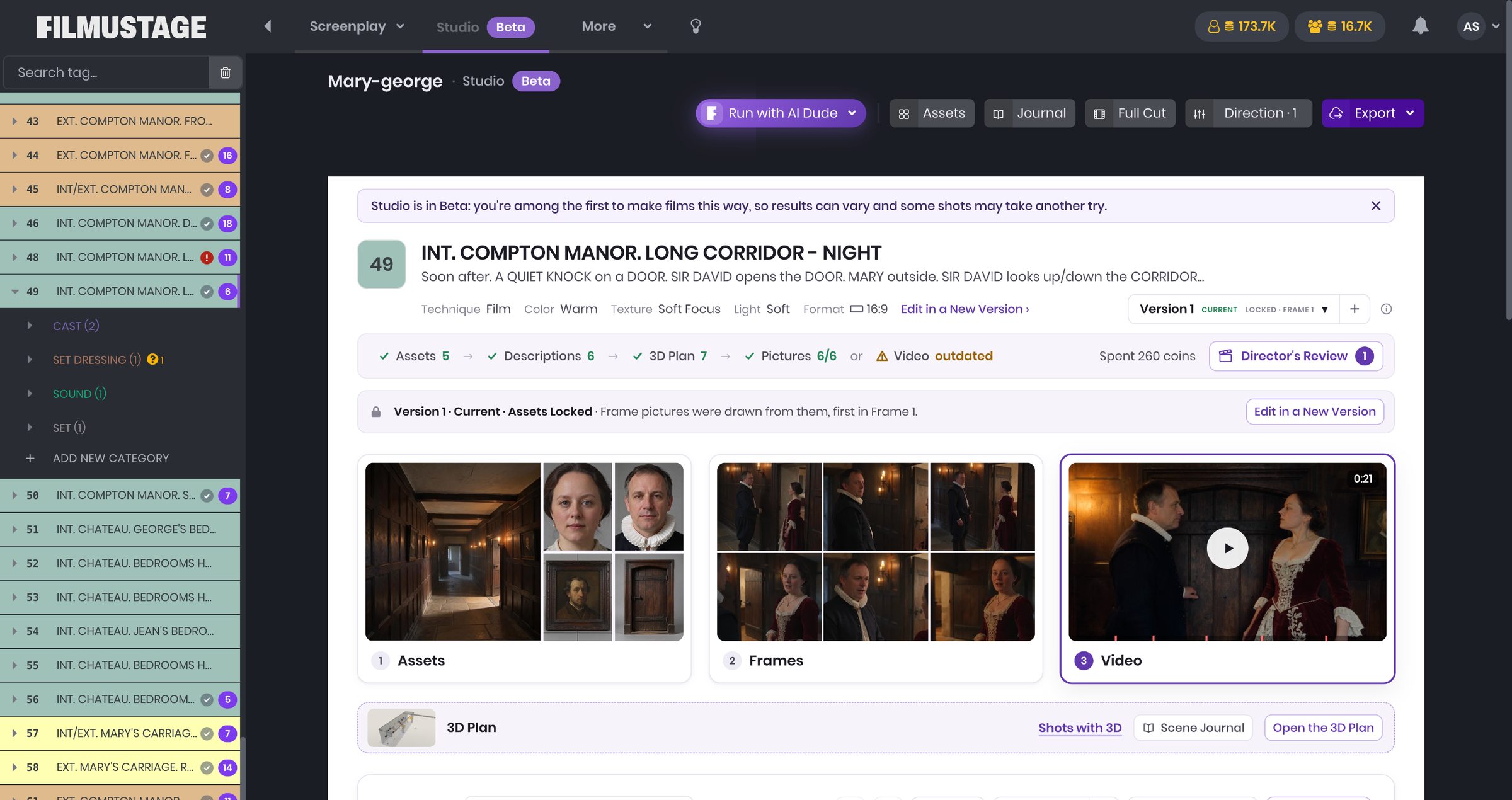
Filmustage Studio: Scene 49 with assets, frames, a 21-second video and the 3D plan

Answers to
your questions

Straight answers for busy film teams

Contact us
Do I need to know 3D?

No. The 3D plan is generated for every scene with actors, props, cameras and light already placed. It exists so that every shot is rendered from the same set. You can open it and move anything, but nothing requires you to.

How is this different from Runway, Kling, Veo, Sora or Higgsfield?

Those are video models; Studio uses models like them for the final render. The difference is everything before the render: the breakdown, the assets, the 3D set and the camera plan that make shot 7 match shot 1. A prompt tool starts every shot from nothing. Filmustage Studio vs Higgsfield.

Can it look like my real actor and my real location?

Yes. Upload photos and they become assets. Studio keeps them consistent across scenes and episodes. You can cast yourself.

How long can a scene or a film be?

There is no fixed limit. Video is generated shot by shot from the plan and assembled per scene, so length follows the script.

What does it cost?

Production planning is free. A generation plan starts at $49 a month for 1,000 coins; assets, 3D plans and frames are included, and coins are spent only on video: 8 coins a second at 480p, 18 at 720p, 45 at 1080p. These are beta rates.

Is this previs, or a finished film?

Both. The same plan renders rough for planning a live shoot, or finished for an ad, a music video, an animated episode or a vertical drama. If you shoot it live, the schedule, DOOD, call sheets and budget come from the same scenes.

What happens to my script?

Never used to train or fine-tune models, on any plan. Filmustage is SOC 2 Type II audited and holds TPN Blue status.